> For the complete documentation index, see [llms.txt](https://whitepaper.zee-verse.com/llms.txt). Markdown versions of documentation pages are available by appending `.md` to page URLs; this page is available as [Markdown](https://whitepaper.zee-verse.com/economy/game-exchange-gex.md).
# Game Exchange (GEX)
GEX - a fast and simple hub where players trade items and fuel the living economy of Zeeverse.
GEX is Zeeverse’s in-game marketplace where players trade items and resources using $VEE. Prices are set by the community, and supply and demand shift naturally as players explore, craft, and battle.
{% hint style="success" %}
**$VEE and Item Movement**\
GEX runs on $VEE when you buy items or provide liquidity, so make sure you have some in your Zeeverse Wallet before trading. You can also mint your in-game items into the wallet and sell them on GEX for $VEE or deposit purchased items back into the game to use them again.
{% endhint %}
### How It Works
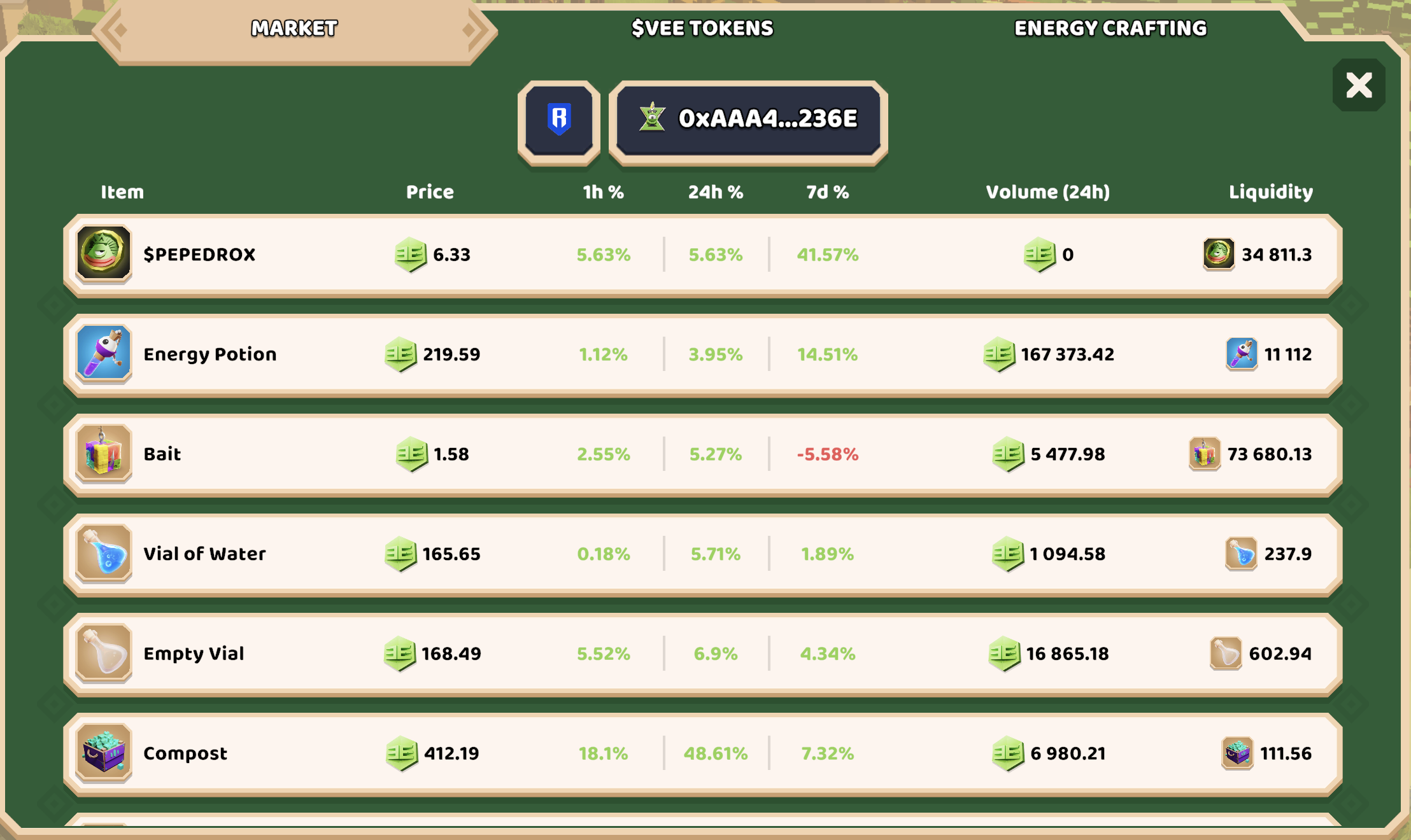
The Market tab shows every item currently tradable on GEX. For each item, you can view:
* **Price** - the current cost in $VEE.
* **% Change** - movement over 1h, 24h, and 7d.
* **Volume (24h)** - how much of the item has been traded in the past day.
* **Liquidity** - how much of the item is available in the pool.
Tap any item to open its detailed view.
### Item View
#### **Trade Tab**
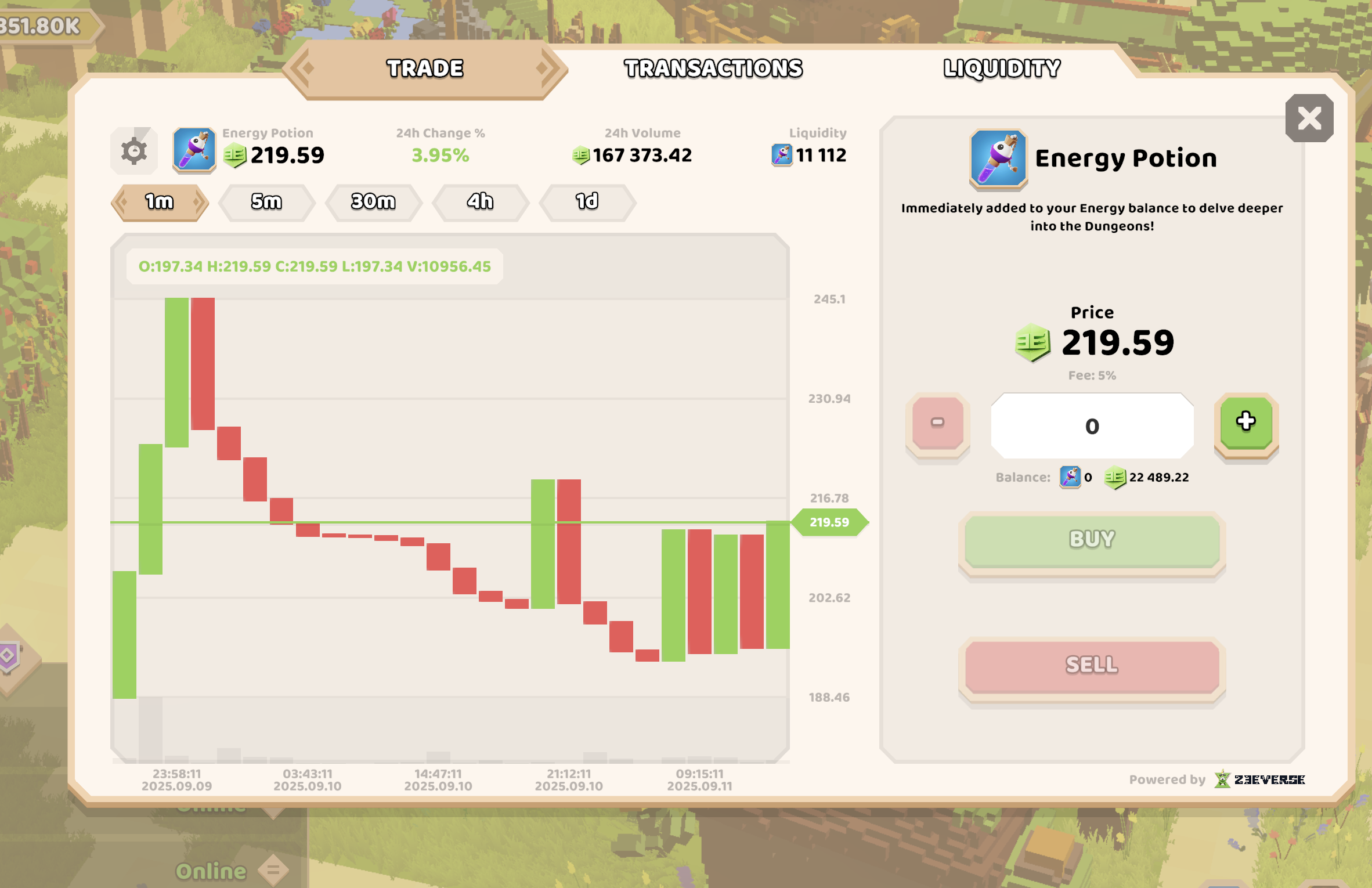
Buy or sell the selected item directly from its liquidity pool.
* Enter the amount you want to buy or sell.
* The current price and a 5 percent trading fee are applied automatically.
* A simple price chart helps you see recent trends.
Your purchased items are delivered instantly to your inventory or energy balance, depending on the type.
#### **Transactions Tab**
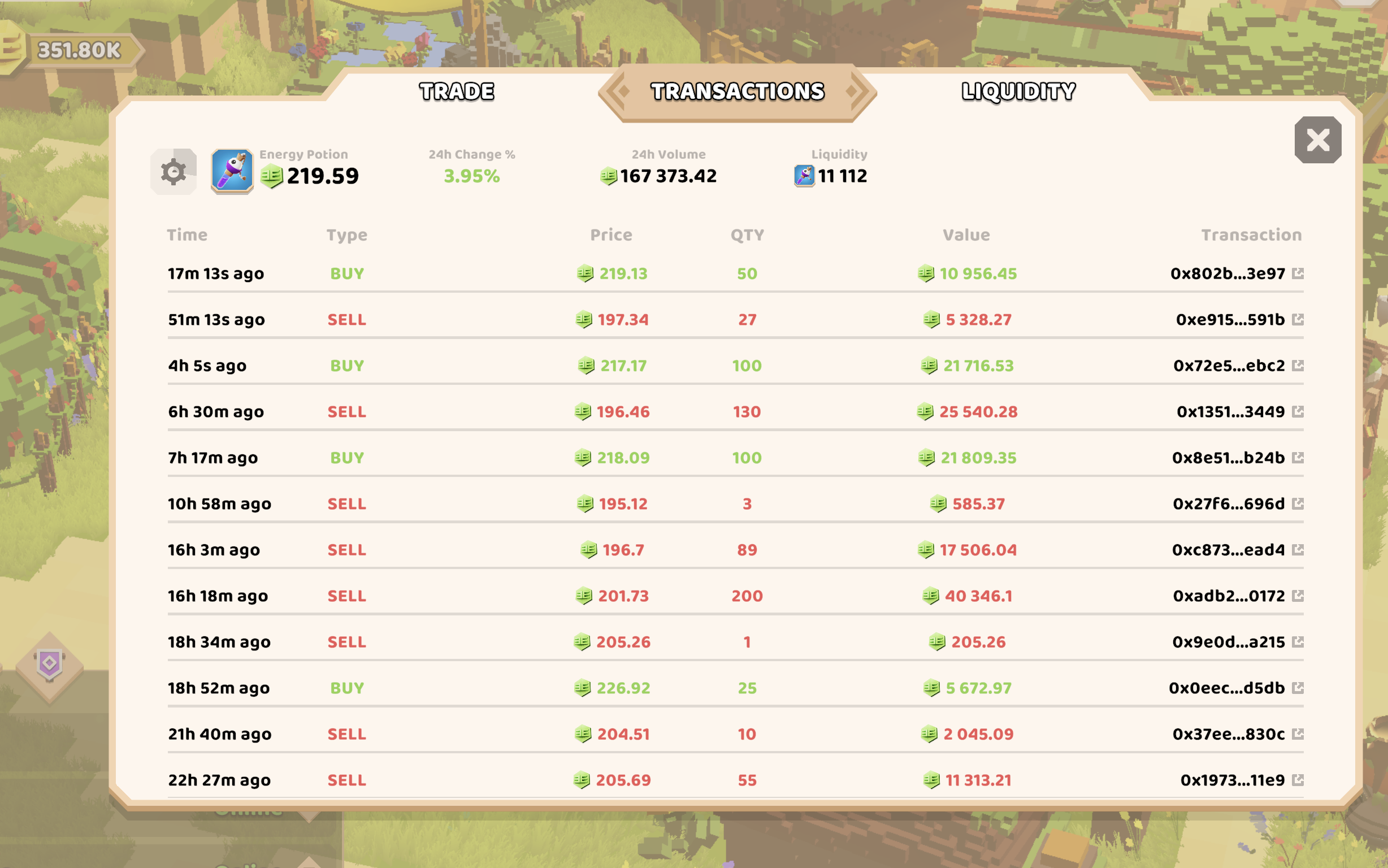
A live feed of recent trades made by all players.
* See time, trade type (buy or sell), price, quantity, and total value.
* Helpful for spotting market activity spikes or quieter periods.
#### **Liquidity Tab**
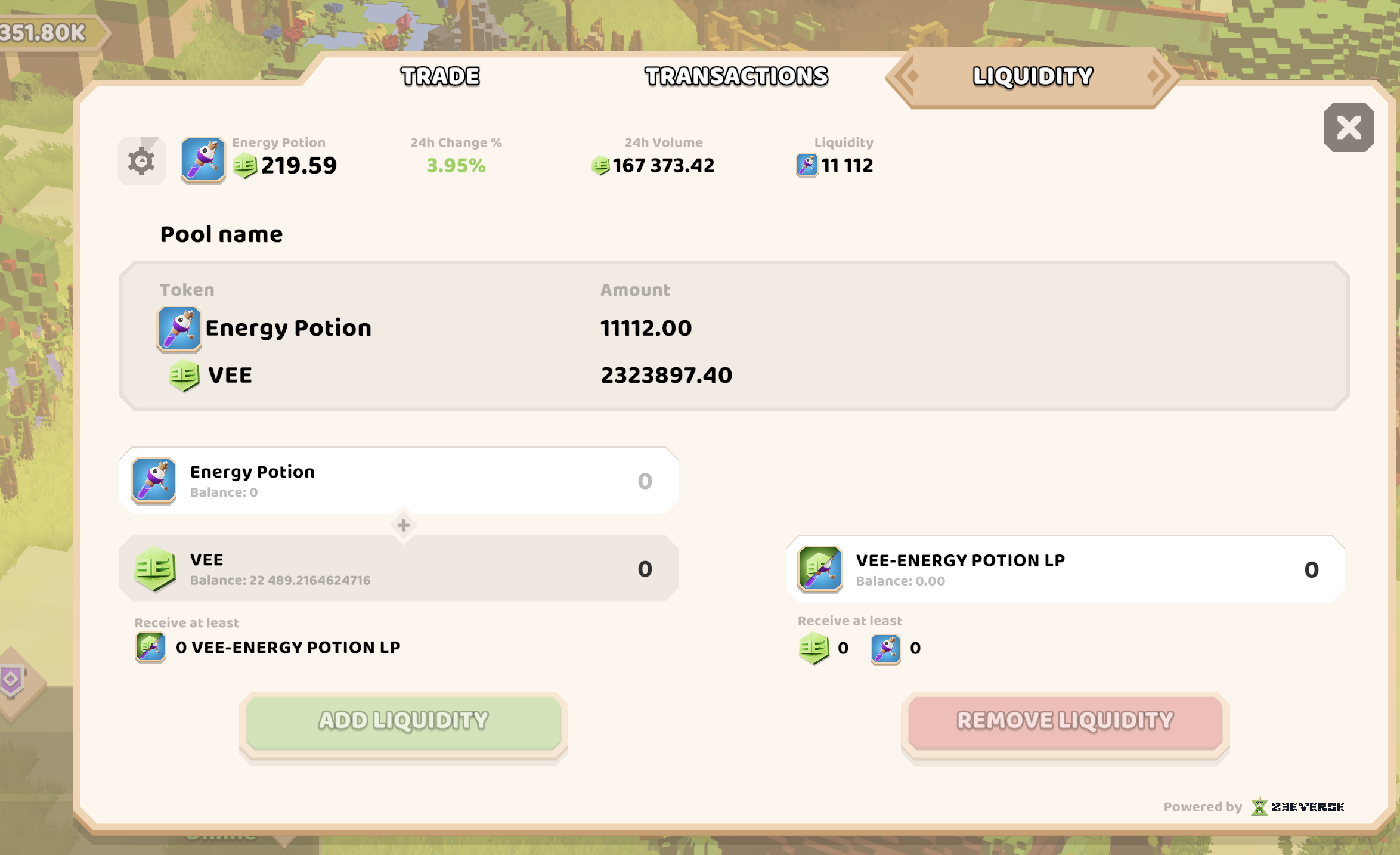
Every item on GEX has a liquidity pool made up of the item itself and $VEE.
Players can contribute to these pools:
* Add two tokens in equal value to receive LP tokens.
* Remove liquidity at any time to reclaim your share of the pool.
* Liquidity improves trading stability and reduces price swings.
{% hint style="warning" %}
**Staking & Impermanent Loss**\
When you add liquidity to GEX, you stake two assets of equal value. As prices shift, your share of each asset may rebalance, creating what’s known as impermanent loss. It’s a normal part of liquidity providing, but keep in mind that fast price movements can affect your final outcome when you withdraw.
{% endhint %}